
 English
  Русский
  Uzbek
Uzbek  Karakalpak
 .svg) Uzbek (Cyrillic)
Uzbek (Cyrillic) Managing your card
Add money, block a lost card, change the PIN, replace or renew the card.


Adding money to your card
Many apps in Uzbekistan send money only to Uzcard and Humo. Baraka is a Visa card, so these apps may not accept it. Use one of these four ways.
 In the Baraka app, from your Uzcard or Humo card
 Cash at a payment kiosk
 In another bank's app
 Someone sends money to your card number
Kiosks and bank apps send money to your card through the Visa Direct service.
Lost or stolen
Do these two things right away.
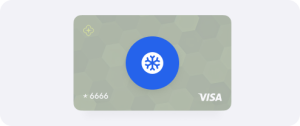
Freeze the card in the app
Call the bank that issued it
The name is printed on the back of the card.
 +998 71 777-77-77
 +998 71 777-77-77
Found someone else's Baraka card? Hand it in at an “Inson” centre or a branch of the issuing bank.
PIN, CVV and security

Card PIN
Change it at an ATM, at the issuing branch, or in the app.

CVV
In the app, under card details.

Two separate codes
Your app PIN is not your card PIN.

Three wrong PINs
Call the issuing bank to unblock the card.
If the card blocks itself
1. The card blocks automatically. Lead
If:
 Your name changes
 Your date of birth changes
 Your category can no longer be confirmed

Submit an application
With the supporting documents.

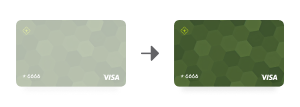
3. The card unblocks.
Replacing it
Your money stays
The new card is linked to the same account.
The 16-digit number and expiry date change.

Including for the categories that got their first card free.
Free only when the bank or the Agency put wrong data on the card.

No free delivery
Free home delivery does not apply to a replacement.
Collect it from a branch, or ask your bank about paid delivery.
Renewing it

In year 5, apply for a new card.
 At an “Inson” centre
 At a bank branch
 In the Baraka app
 You can apply before it expires. Your money and information move to the new card.
One person can have only one Baraka card, however many payments they receive.
